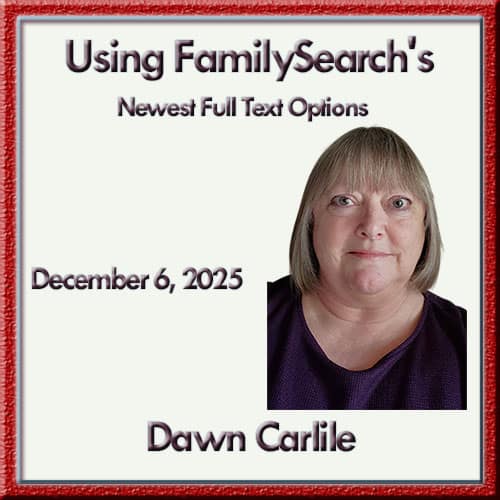
Presentation Description:
If you haven’t used the Full-Text Search tools at FamilySearch, you are missing out on records about your ancestors. No longer in the experimental stage, it can be used on many of the record images on FamilySearch, saving researchers many hours of reading through records page by page to find their ancestors' names. These tips will help you determine the best way to search and how to filter the results.
Dawn Carlile:
Dawn Carlile is a native Oregonian, having grown up in Eugene and Springfield, OR, and has been involved in genealogy for 30 years, starting when her dad asked if she had ever thought about researching their family history. His mother was orphaned at age 12, and he knew very little about her family. Once she started looking into the family she was hooked. She is a professional genealogist, educator, and lecturer who began teaching classes for the Oregon Genealogical Society in 2008 and then began lecturing at libraries, genealogical societies, and cultural events. She enjoys teaching others how to research as much as she does doing research herself.
Dawn is a member of the Association of Professional Genealogists, Genealogical Speakers Guild, National Genealogical Society, and several local, state, and regional historical and genealogical societies. She is the current president of the Oregon Genealogical Society. and has attended many courses at the Salt Lake Institute of Genealogy, the Institute of Genealogical and Historical Research, the Genealogical Research Institute of Pittsburgh (now the GRIP Genealogy Institute,) and the Genealogical Institute on Federal Records. She graduated from Bushnell University with a B.A. degree in management.
Northwest Suburban Genealogy Society – December Bonus Meeting Summary
(Featuring Dawn Carlile — “Using FamilySearch’s Newest Full Text Options”)
Part 1: Members Helping Members (Host: Howard Cameron)
This month’s Members Helping Members session centered on troubleshooting genealogy tools, website navigation challenges, new technology resources, and practical research questions from a highly engaged group.
Key Discussion Points
Website & Registration Issues
Members discussed repeated difficulties with logging into the NWSGS website and registering through Zoom.
Key insights included:
-
Many login issues stem from using an email address instead of the assigned username.
-
Zoom confirmation emails originate from Zoom, not NWSGS—re-sending reminders on Saturday mornings often helps surface the email.
-
Tips offered:
-
Clear browser cookies
-
Try an alternate browser
-
Contact Howard for one-on-one help when the issue is persistent
-
New AI Blog, AI Agent, and Daily Updates
Howard demonstrated how the new AI article-gathering agent scans for genealogy-related AI news several times per week. Members explored:
-
How to open linked webinars and articles when registration systems behave inconsistently.
-
How to use “Read more” details to uncover hidden content—including free AI genealogy webinars featuring multiple speakers.
-
Troubleshooting registration links that redirect users to NGS instead of Zoom.
Members appreciated the increased volume of daily AI content and asked about upcoming improvements to the RootsTech search tool, which Howard is rebuilding for 2025.
MyHeritage: Record Matching, Trees, and Document Access
A common challenge came up: MyHeritage match notifications that don’t provide easy access to documents.
Members shared the following practical strategies:
-
Treat MyHeritage’s “9 more relatives” suggestions as starting points, not conclusions.
-
Use the Compare tool to evaluate only the facts you can personally verify.
-
Always check the Gallery tab—uploaded letters, records, or photos often hide there.
-
Pull hints into FamilySearch or other platforms when sources in MyHeritage are unclear.
-
The MyHeritage SIG is currently paused until a volunteer steps forward to revive it.
Using Site Resources More Effectively
Howard demonstrated how the NWSGS website’s SIG Meeting Archive now includes AI-generated summaries of past SIG discussions. Members can:
-
Type keywords into the site’s search bar
-
Review meeting descriptions
-
Jump directly into relevant videos
This feature is especially useful for researching topics like German records, DNA methods, or MyHeritage usage.
Research Stories & Tips from Members
Members shared several personal research experiences:
-
Early Tennessee research:
A member recommended a three-volume land grant series mapping Revolutionary War–era tracts, invaluable for locating early settlers and their neighbors. -
1750s–1770s research challenges:
The Ken Burns American Revolution documentary inspired members to reconsider gaps in service records, the mobility of families during wartime, and why ancestors sometimes disappear from expected document sets. -
Full-text search indexing problems:
Members discussed missing or misindexed FamilySearch pages. Solutions included:-
Clicking the Feedback button on the image viewer
-
Searching nearby pages manually
-
Understanding how AI can misinterpret handwriting
-
AI SIG Announcements
Janet and Howard reported strong interest in the new AI Special Interest Group, with more than 45 sign-ups already.
Highlights:
-
First meeting scheduled for January 7 at 4 PM CST.
-
Members can register on the NWSGS website under the SIG calendar.
-
Anyone may join the AI mailing list—even if they cannot attend all meetings.
-
Members were encouraged to send suggestions or topic requests to the SIG email address.
The group reaffirmed that the SIG welcomes beginners, the curious, and advanced users alike.
Part 3: Featured Speaker – Dawn Carlile
Topic: “Using FamilySearch’s Newest Full Text Options”
Overview
Dawn delivered a detailed and practical session on the rapidly evolving full-text search capabilities within FamilySearch. She emphasized that genealogy research is entering a new era—one where AI-assisted transcription, improved image browsing, and deeper indexing allow genealogists to uncover records previously hidden in handwritten, unindexed, or difficult-to-navigate collections.
Her presentation walked members step-by-step through how to get the most out of these tools.
Key Points
1. Understanding Where Full-Text Search Exists
Dawn explained that full-text search is no longer limited to a single menu item.
It now appears in several FamilySearch areas:
-
Search All Collections
-
Records Search
-
Image Search
-
Catalog Search
-
Books & Manuscripts
Each area uses AI differently, and knowing which tool to use saves significant time.
2. Decoding FamilySearch Icons
Dawn highlighted the importance of understanding small—but powerful—icons:
-
Camera icon = viewable from home
-
Camera with key = viewable only at a FamilySearch Center or affiliate
-
Document icon = record exists on another website
-
Full-text icon (page with lines and plus symbol) = AI transcript available
She encouraged members to scan for these icons before diving into a collection.
3. Using AI-Generated Transcripts and Summaries
Dawn demonstrated how AI transcriptions can:
-
Identify names buried in court minutes or probate books
-
Reveal content even when handwriting is difficult
-
Offer quick summaries of long documents
-
Extract names, relationships, dates, and places into structured lists
She stressed that transcripts are not perfect—AI may read columns out of order or struggle with archaic handwriting—but even flawed transcripts can provide major clues.
A favorite feature: Edit Transcript, which lets users correct errors and improve the database for everyone.
4. Catalog Search: A Hidden Powerhouse
Members learned that many unindexed collections—especially older manuscripts—now contain:
-
AI-assisted transcripts
-
Summaries generated from image sequences
-
Searchable names extracted from within handwritten text
Dawn used examples such as 17th-century colonial court records to show how full-text search can uncover:
-
Court cases
-
Petitions
-
Estate matters
-
Community interactions
-
Neighbors and associates
This is especially helpful for pre-1850 research or places with sparse vital records.
5. Using CSV Downloads for Large Collections
Dawn explained how to download search results in batches of 20, 50, or 100 into CSV format.
This allows genealogists to:
-
Sort by father’s name, mother’s name, birth year, or location
-
Flag records to review later at a FamilySearch Center
-
Create working spreadsheets of entire collections
This technique is invaluable when home access is restricted.
6. Full-Text Search Best Practices
Dawn offered practical suggestions:
-
Use broad search terms; AI may miss narrow spellings
-
Check the summaries before diving into pages
-
Explore pages before and after any promising record
-
Use filters cautiously—they’re still evolving
-
Combine full-text search with image browsing for the best results
7. Controlled-Edit Trees: A New Option
At the end of her talk, Dawn previewed FamilySearch’s new Controlled Edit Tree (CET) feature, which allows genealogists to:
-
Maintain a private version of their research
-
Avoid unwanted merges in the shared tree
-
Experiment with hypotheses safely
-
Publish changes to the global tree only when ready
This is a significant shift for FamilySearch and a welcome option for researchers who want more control over their data.
Recommended Tools & Resources
-
FamilySearch Help Center and Learning Center
-
AI-generated transcripts within the Catalog
-
FamilySearch Centers & Affiliate Libraries for restricted images
-
CSV export tools for record sets
-
Feedback tools to report indexing issues
Why Watch the Replay
-
See Dawn’s live demos of full-text search and catalog navigation
-
Learn how to spot AI-generated summaries that can unlock handwritten records
-
Understand new placement of full-text tools across FamilySearch
-
Get practical techniques you can apply immediately to pre-1900 research
-
Discover how the new Controlled Edit Tree can protect your work
-
Watch members’ real-world questions turn into teachable moments
This session is especially valuable for anyone researching in counties with limited indexing, colonial-era records, or international collections where handwriting can be difficult.

I may be late for this meeting or may miss it entirely. Since it is being recorded , do you want to take my reservation off the Zoom list?
Jean Brockway
I did not factor in the one hour time difference. I cannot join the presentation. On December 6th. I can catch the recording. Colleen
Yes, with your Paid Membership you will be able to watch the recording on the meeting starting on Sunday morning. Thanks forsupporting us with your membership.
Thanks for the notification… Howard
looked hard for the link to join the meeting, but since I couldnlt locate that on the web site, and didn’t see the ID number, wasn’t able to view the meeting. sorry.
Sam – If you would like some one on one help with the website, please let me know at webmaster@nwsgs.org